
Configure menu items and dining tables.
Solutions · Restaurants
Restaurant Billing with Table QR Ordering & KDS
Connect dining-room orders to kitchen preparation and billing, with clear visibility of orders from each channel.
Restaurant solution · Visual guide
See how your restaurant works together
Explore the illustrated journey from table QR ordering through kitchen display, counter billing and JanOrder delivery.

Restaurants workflow
Handle day-to-day work in one place
Table orders, food preparation and payments often involve several handovers. A connected flow helps teams avoid losing context.
- Table-specific QR ordering
- Kitchen display ticket flow
- Command Center for order sources
- Staff roles and QR attendance
Tools and connected customer flows depend on the business configuration.
One connected journey
From a table scan to a completed order
- Scan: A guest opens the table QR menu.
- Prepare: The kitchen sees the order in KDS.
- Serve & bill: Staff complete the order and checkout.
Product proof, not mockups
See what the actual application looks like
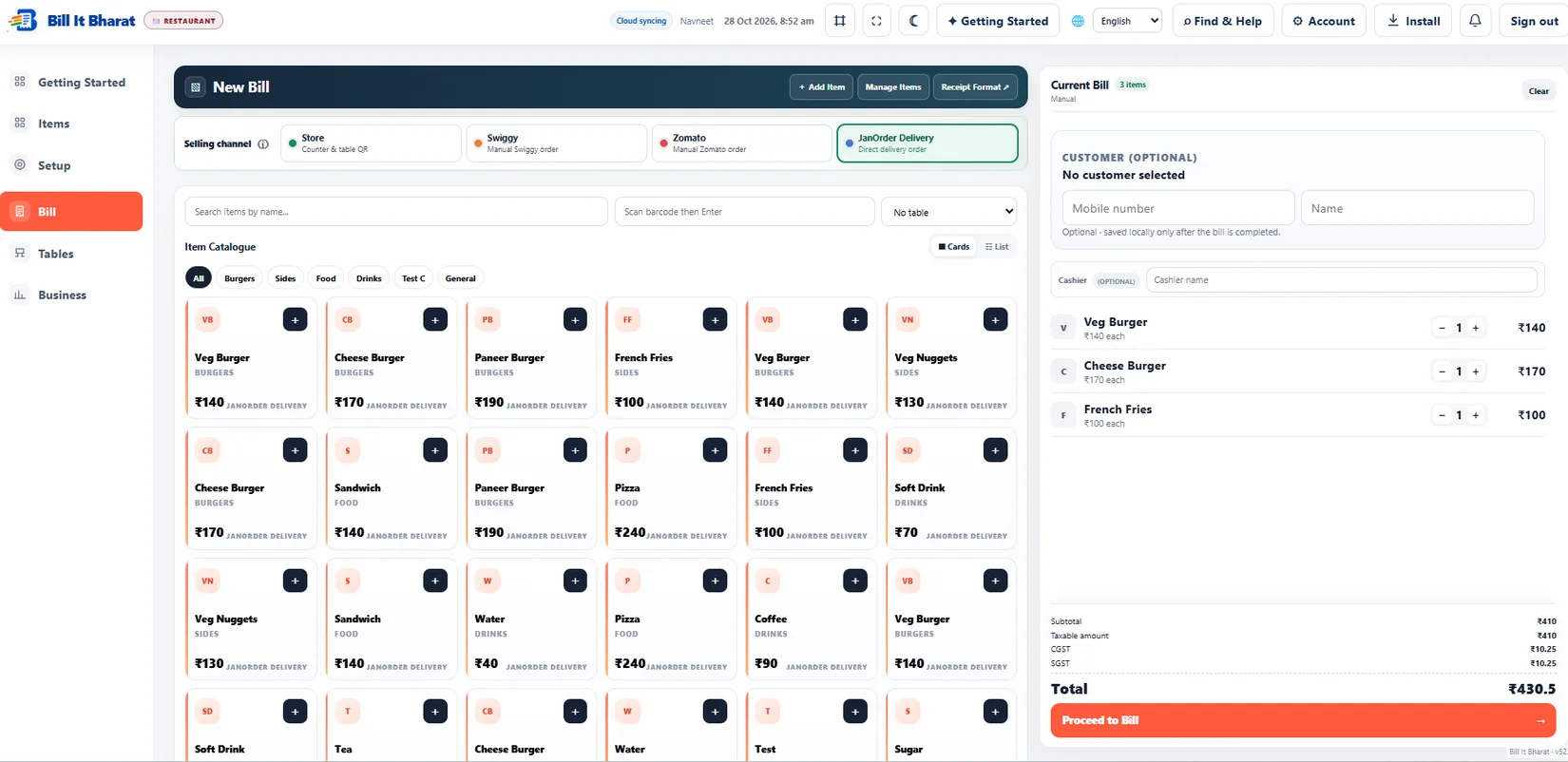
These are captured screens from the Bill It Bharat and JanOrder application demos. They are separate from the decorative illustrations.
Start small
How restaurant businesses get started
Print Table QR codes and prepare the kitchen station.
Review incoming orders, prepare food and bill the table.
Straight answers
Frequently asked questions
Can I use Bill It Bharat for restaurants?
Yes. Bill It Bharat supports the listed billing and business workflows where configured for this business type.
Is core billing free?
Yes. The core billing application is free. Cloud Backup Available.
Can I add my own catalogue?
Yes. Begin with editable starter items or a blank catalogue during signup.
Make restaurant operations easier
Start with a product list and your usual billing workflow.
Start Free BillingLearn and try
Explore the full workflow
Read a practical guide or try a no-login simulation using fictional records.