
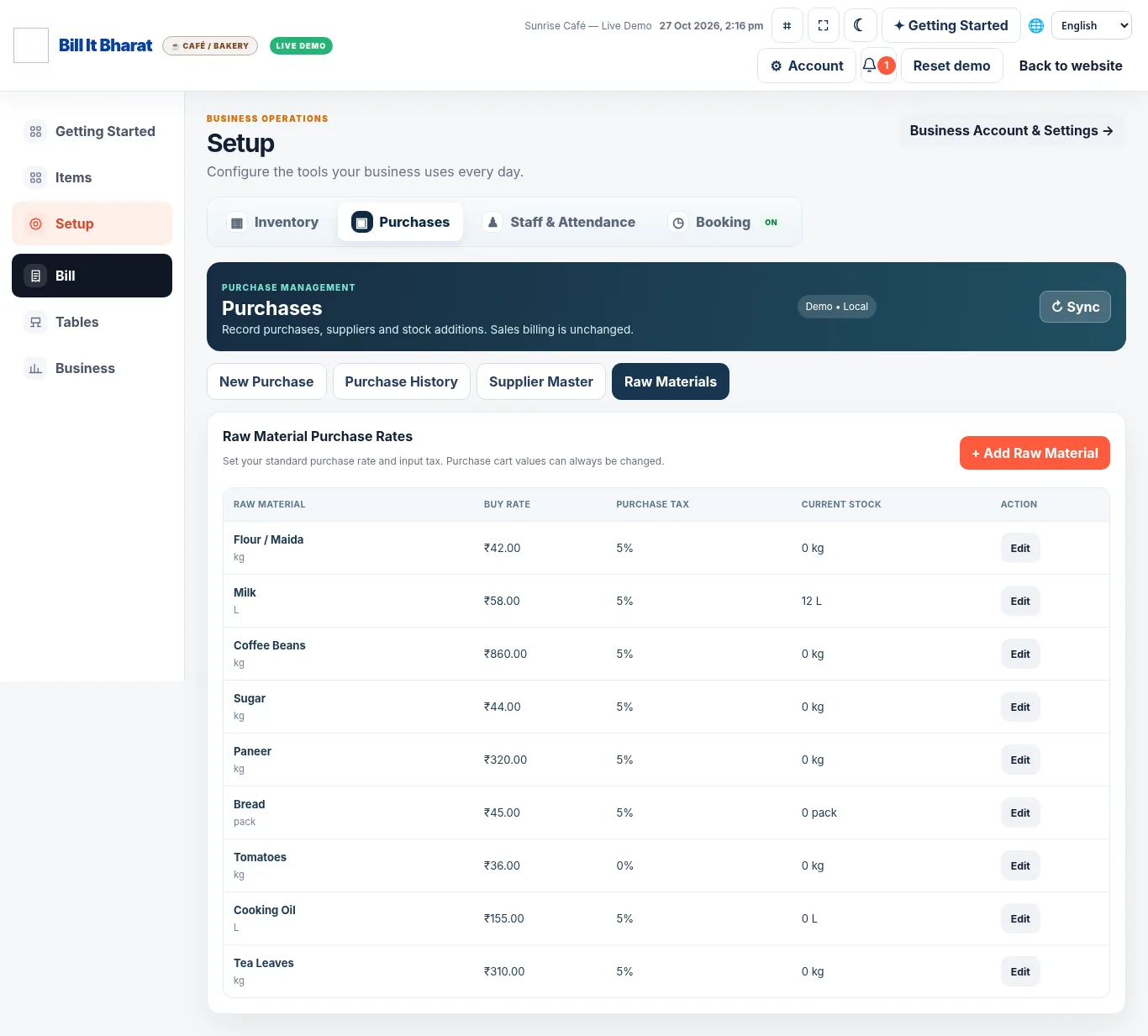
Set the standard buying cost and purchase tax on an item or raw material.
Bill It Bharat · Purchases
Purchase Management Software for Small Businesses
Record purchases with a familiar basket, default buying prices, purchase taxes and supplier details.
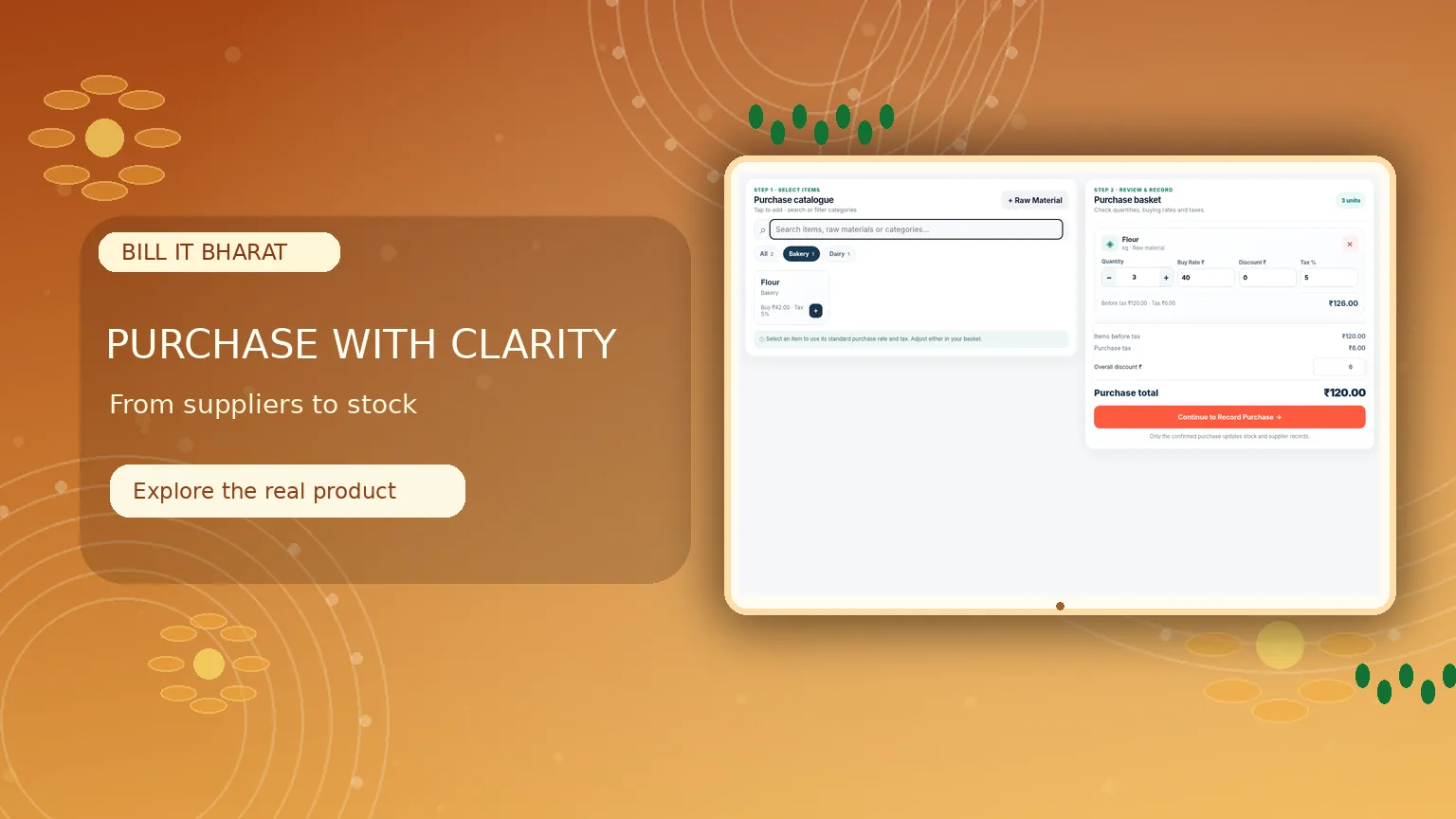
Inside the product
Purchasing that feels as clear as billing
Choose a supplier, add items to a basket and review editable purchase totals before recording stock.
What this solves
A simpler way to manage purchases
Manually recreating cost prices and tax rates for every stock purchase increases avoidable errors.
Maintain a purchase basket, search items or raw materials, and automatically bring in their standard purchase costs and taxes. Quantities, costs, discounts and tax remain editable for individual purchases without changing the master defaults.
- Sales-style purchase basket with editable totals
- Default item purchase rates and taxes
- Purchase history and supplier selection
- Raw materials for food businesses and items for trading shops
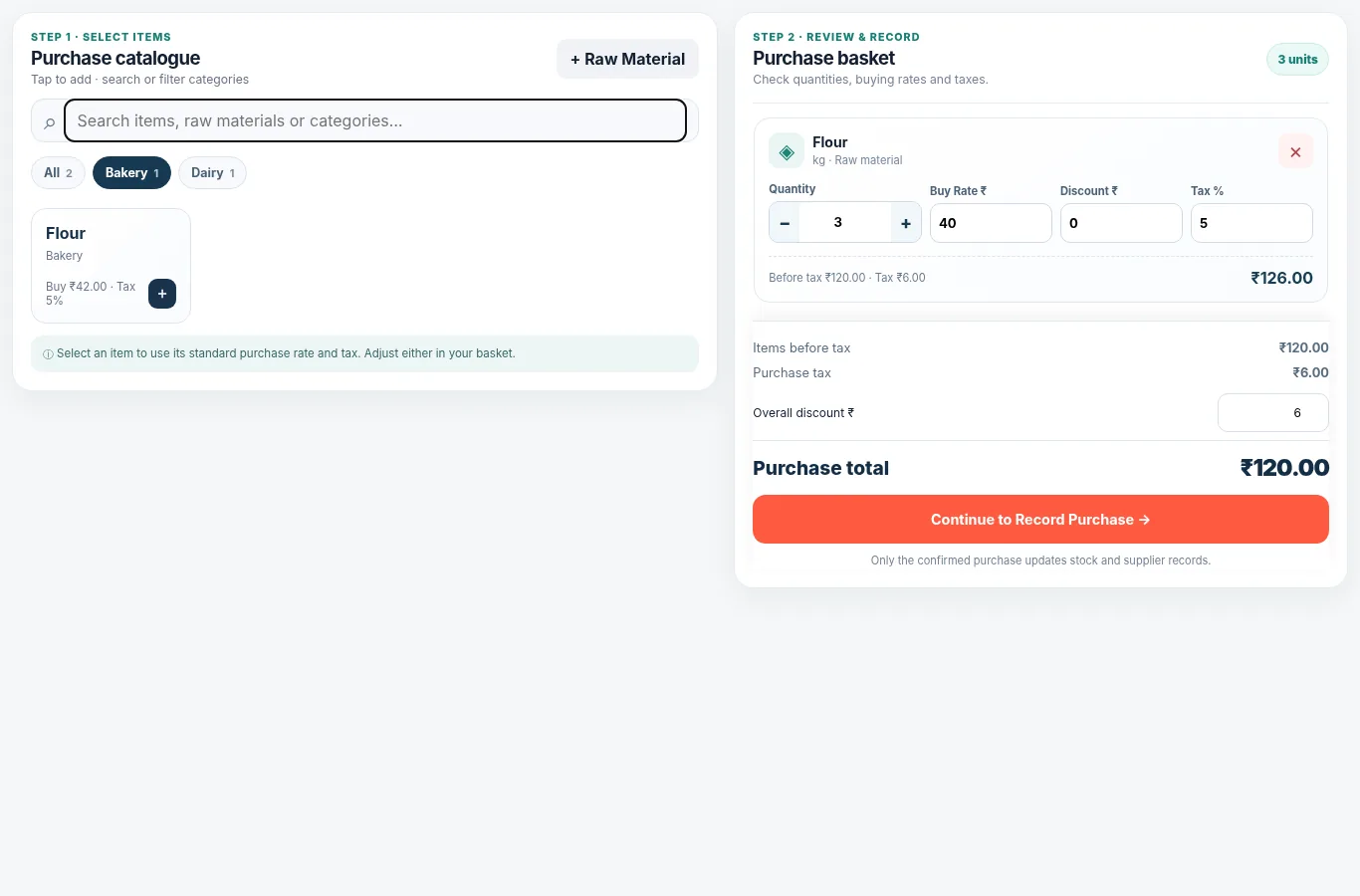
Real application capture using demo/sample data; your workspace may differ.
Product proof, not mockups
See what the actual application looks like
These are captured screens from the Bill It Bharat and JanOrder application demos. They are separate from the decorative illustrations.
Your next steps
How it works
Choose a supplier and add products to the purchase basket.
Review or edit cost and tax, then save the purchase record.
Straight answers
Frequently asked questions
Can I override a saved purchase rate?
Yes. Purchase-basket rates and taxes can be edited for each purchase.
Does it handle food raw materials?
Yes. Food businesses have a dedicated raw-material purchase master.
Is this the same as a sales invoice?
No. Purchase records are managed separately from customer sales.
Learn and try
Explore the full workflow
Read a practical guide or try a no-login simulation using fictional records.