
Bill It BharatStart Free Billing
☰ Menu
Reports, Settings & Cloud Backup

Review the day’s sales

Open Sales or Reports, select the relevant time period and compare transaction totals with your physical cash and payment records.

Real product orientation

See the application in context

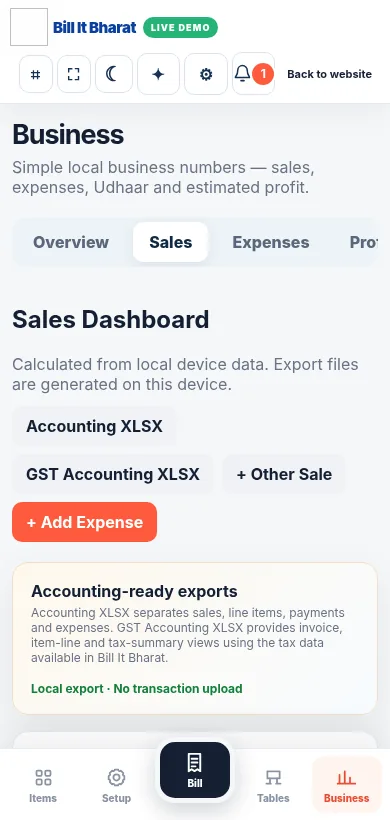
A product screenshot to orient you before following the steps.

Explore a sample workflow →
Actual sample sales reporting view from the business demo.

Before you begin

Use the current Bill It Bharat application in a supported browser, open the relevant business workspace and confirm you have access to the section described.

Step-by-step

  1. Open Sales or Reports, select the relevant time period and compare transaction totals with your physical cash and payment records.

Expected result

You can identify sales and payment modes for the selected day.

If something does not work

Reports reflect recorded transactions; missing saved bills will affect totals.

Need additional help? Contact support — do not email customer passwords or sensitive transaction records.

Make your business day simpler

Start with sample products or a blank item catalogue; configure your own business details before using real bills.

Start Free Billing →