
Editorial guide · 28 October 2026 · Examples for Indian small businesses
Set up useful categories and units
Separate packaged foods, daily essentials, beverages and household goods. Record selling units carefully: a packet, bottle and kilogram cannot be treated as the same quantity.
Use distinctive item names or barcodes so staff do not accidentally select two similar packs with different prices.
Record purchases when goods arrive
Check the supplier and invoice, count received units and record the actual buying rate and purchase tax. The purchase price can differ from the selling price.
Bill It Bharat has supplier records and standard buying-rate defaults that can be edited for each purchase.
Reconcile sale movement with physical stock
Daily billing records indicate which products were sold, while manual adjustments account for breakage, spoilage or count corrections where supported.
For loose goods, weigh and count at a consistent time; do not infer that every sold gram is recorded accurately without checking the measurement workflow.
Make a practical closing checklist
Choose a few high-value or fast-moving products for daily checks. Review missing barcodes, unusual negative quantities and supplier deliveries not yet entered.
Keep a regular download of local business records and a separate note for anomalies that still require investigation.
Pay attention to pack-size changes
Suppose your supplier sends 500-gram packs after you previously stocked 1-kilogram packs. Do not overwrite one product unit to make the quantities appear right. Separate the products and receive the delivery against the right item. When counting stock, count the exact sellable unit that staff choose during billing.
Example from a small business
A grocery shop receives ten cases of bottled water; staff enter the supplier purchase, then verify the updated stock before the evening shift.
Quick start checklist
- Categorise the item master and set correct units.
- Record opening stock and new purchases.
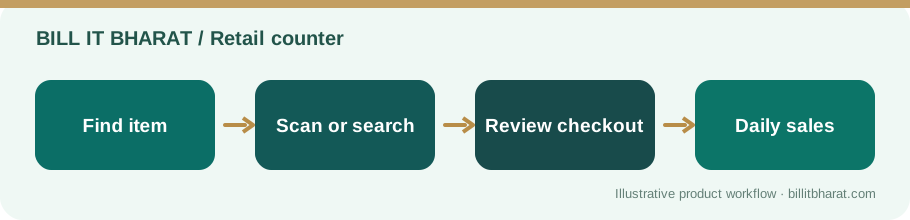
- Bill items consistently during the day.
- Reconcile critical items and save a backup.
Frequently asked questions
Can I organise items by category?
Yes. Item master category filtering is available.
Can purchases change inventory?
Supported purchase entry workflows can update inventory; verify item units and quantities.